

Aru AI
Personal, private, smart, cute, and efficient AI assistant.
Like all the projects I write about, the article on Aru will be akin to a detailed guide and a demonstration of functionality. All screenshots will be in English, but remember - the interface and functionality are currently available in Kazakh, English, and Russian.
A detailed article about the project's development history and what it went through can be read on my blog, in this post - History of creating Aru Ai
What do you need to understand first?
Aru Ai is a personal AI assistant to which you can connect a model in any convenient way. Gemini, Open Router, or local models via Ollama/LM Studio. Currently, Aru does not have its own LLM model (not yet).
Aru saves nothing on servers, sends nothing, analyzes nothing, and collects no data. Absolutely all your chats, correspondence, embeddings, settings, and artifacts created in the project are stored in your personal SQLite database.
Important! If you use free APIs, such as the free tier from Gemini or free access to models via Open Router, sometimes your requests are anonymized and used to train models. With paid plans or personal local models, this usually does not happen - please read the API usage agreement.
In any case, Aru never sends data about you in its entirety; your data is yours alone. It is used only at the moment of the request.
Each database has a password that is encrypted. This is necessary so that children or teenagers cannot switch modes, change age restrictions, or change the provider without the password.
The database itself is not fully encrypted. This is done so that you do not lose access to your chats, data, and artifacts even without using Aru.
What else is important?
Aru can remember data about you, any facts that seem important - your name or the names of important people, allergies, preferences, illnesses, hobbies, any food or music. All this is stored only in your personal database in the form of text data and embeddings.
In total, Aru works with three modules:
- LLM Module - a wrapper over the provider you chose; this is both the brain and Aru's way of speaking. How smart she will be depends on this module.
- Semantic Module - this is a way to run a semantic model right on your device; nothing is processed on servers or in the cloud. Semantics allows remembering data about you and gathering context. Inside semantics, three triggers are organized.
- Heuristic Module - Aru's mood and character. She uses stickers to emphasize emotions or add comments to her response. They can be turned off in the settings. It is also responsible for the mood and tone of communication. Using a mathematical expression based on three variables, she will change in her communication with you.
A bit about semantics - inside this module, three triggers work.
- Extraction Trigger - activates when data or facts about you need to be remembered. It can be forced simply by asking to remember something right now. All facts are remembered on behalf of Aru herself; this will be visible in the settings. Any fact can be deleted if it seems unnecessary to you.
- Thinking Trigger - activates when some action is required from Aru. Create a game or document, show the weather, or open the news.
- Organization Trigger - necessary so that data and facts about you are embedded in Aru's response; essentially, we pass facts needed for the answer into the LLM for context. For example, if Aru remembers that you are allergic to onions, they will be excluded from any recipes you ask for. This also works when you need to be called by name or mention another person. It works almost always, and the more facts about you there are, the better the answers will be. I hasten to reassure you - she will not use facts unnecessarily, only when it is truly useful.
A bit about heuristics - as I wrote above, Aru's emotions are displayed with stickers for each message. You can turn them off in the settings; they will still be generated and recorded in the database, and when you turn them on next time, you will see a sticker for every message.
Aru's mood is calculated using three variables - general mood, sarcasm level, humor level. This is a mathematical expression that allows calculating the coefficient of final behavior in the chat.
If you are kind, responsive, friendly - Aru will be kind. If you are rude, offensive, boorish, or angry at Aru, she will start to get sad. If you are sarcastic - she will be the same in return; if you joke, she will also joke more often.
Important! Of course, not every model will work perfectly with this module, but I tried to organize the simplest possible algorithms that will work on weak models.
Aru's behavior is not instantaneous; it is very similar to human behavior. If you bring Aru to a bad mood, it will be difficult and long to raise it back up. Offending Aru is easy.
Important! Aru will not stop performing all necessary functionality. She will always and under any conditions try to bring maximum benefit and be effective. Mood affects the character and tone of answers, not their quality.
Enough text for now, let's move on to demonstrations, because the rest of the features and functionality are better shown in a live format.
Demonstration
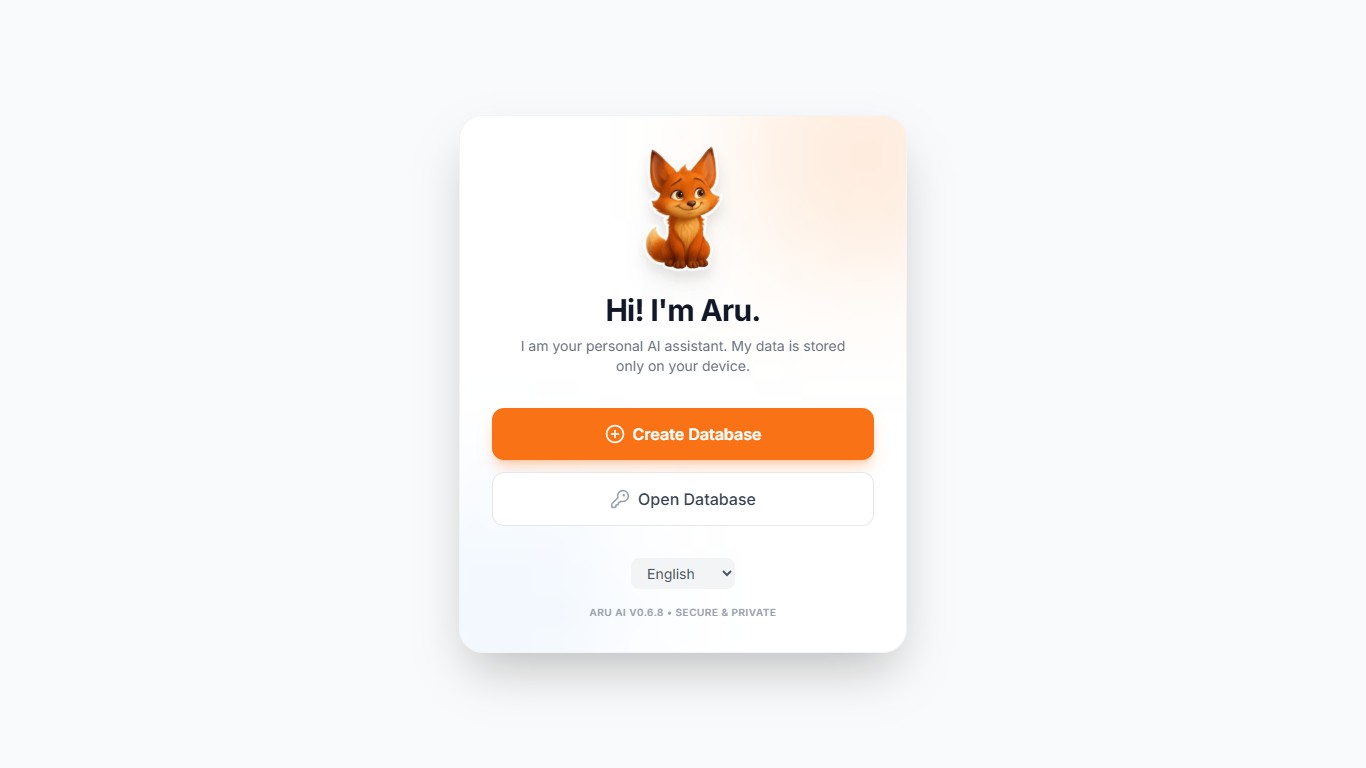
The start screen is the first thing you see when opening the tab or PWA application. Let's go through all the steps together. First, let's create a new database.
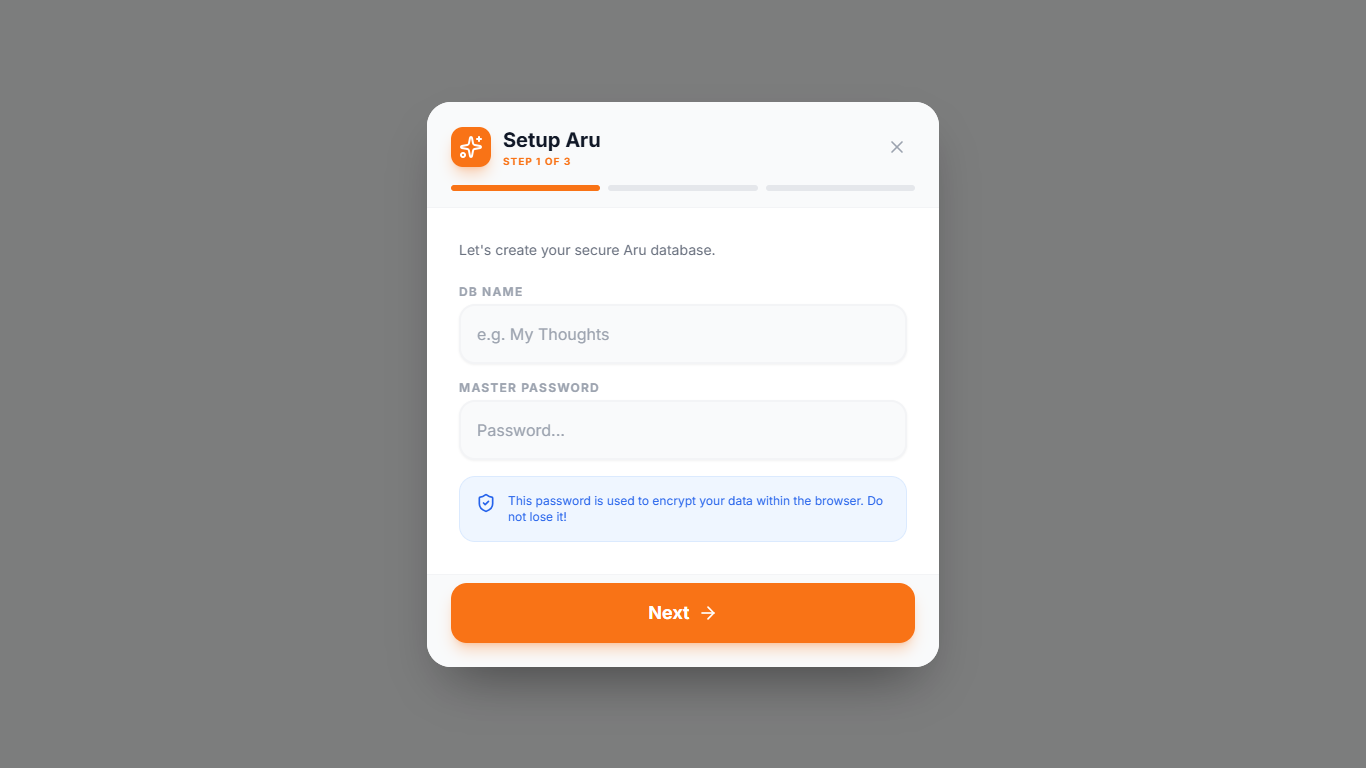
Everything is simple here: we come up with a database name and a password. The password will be encrypted; the name for the database is needed in case the user cancels the file download. In general, the file can be saved under any name.
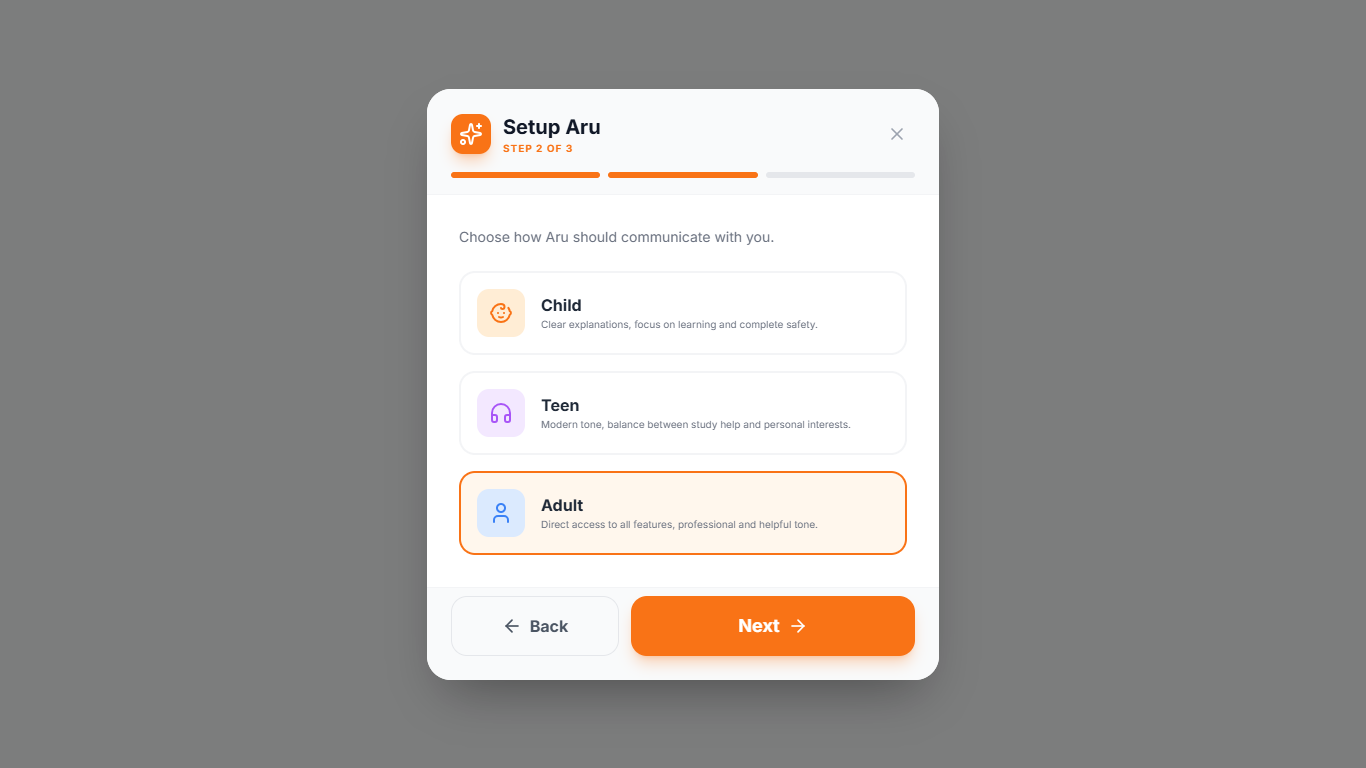
The second step is already important.
Child Mode - Aru will refuse to discuss adult topics, violence, alcohol, drugs, etc. She will either change the subject or point out that it is very bad and wrong. Also, in this mode, she will never give the correct answer to a problem; a child won't be able to feed her homework. Even if asked to create an artifact, she will write out the rules, algorithms, and order of the solution, not the ready-made answer. The mode is tailored for maximum help to children in entertainment and study.
Teen Mode - There are more topics for discussion, but in this mode, Aru will likely be a support and consultant. This is not a replacement for a psychologist or parents, but she can help with some questions. She can give a ready-made answer to a study problem in this mode, but will place great emphasis on how she did it and why the problem is solved that way.
Adult Mode - Restrictions will be related only to the boundaries of the chosen provider for the LLM module. Maximum benefit and efficiency.
Semantics and heuristics will work in all three modes. Now do you understand why a password is needed for the database? A child cannot switch modes or change the provider without knowing the password.
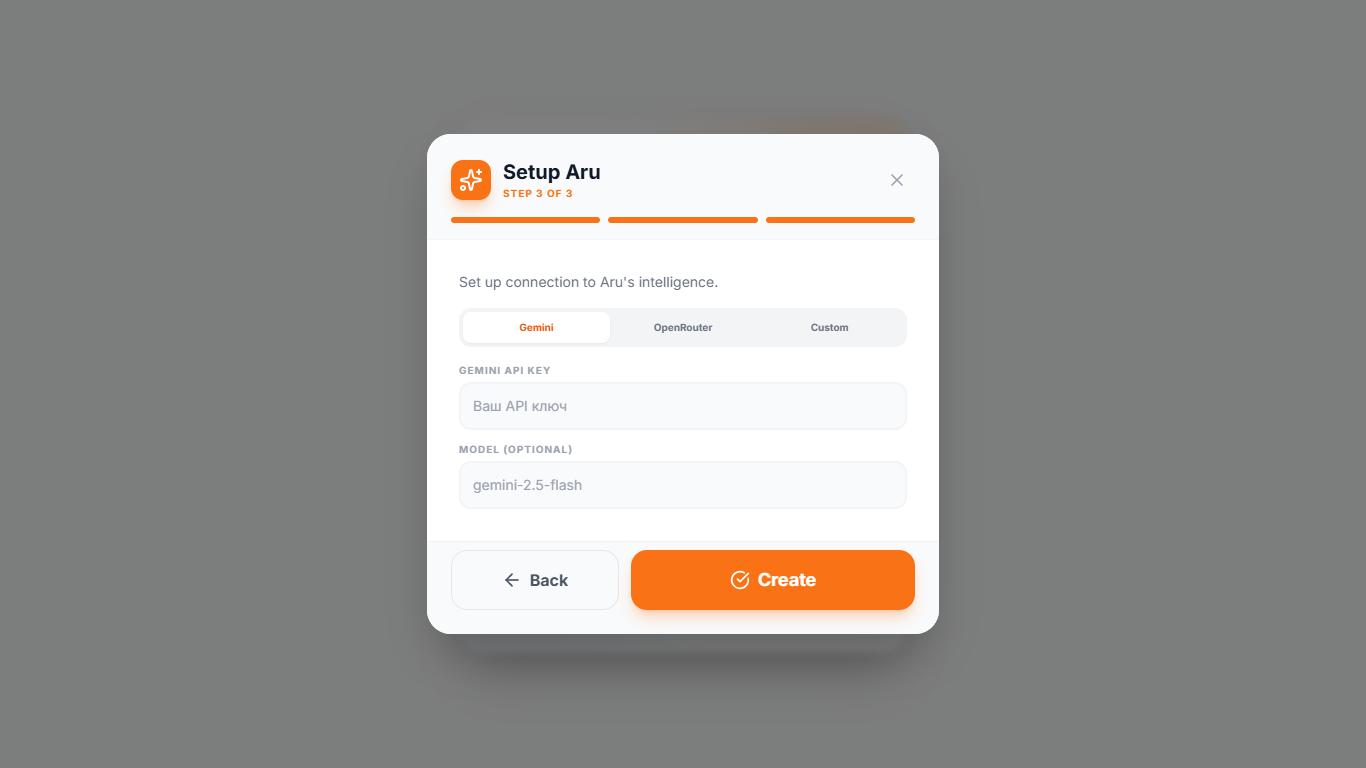
The third step is the most important. You need to configure the connection to the provider for the main module. There are three tabs to choose from; only one needs to be configured for now. I will choose Gemini for the example.
Setup is complete - we save the database to any place we want on the device, agree to the license agreement, and get to the main screen.
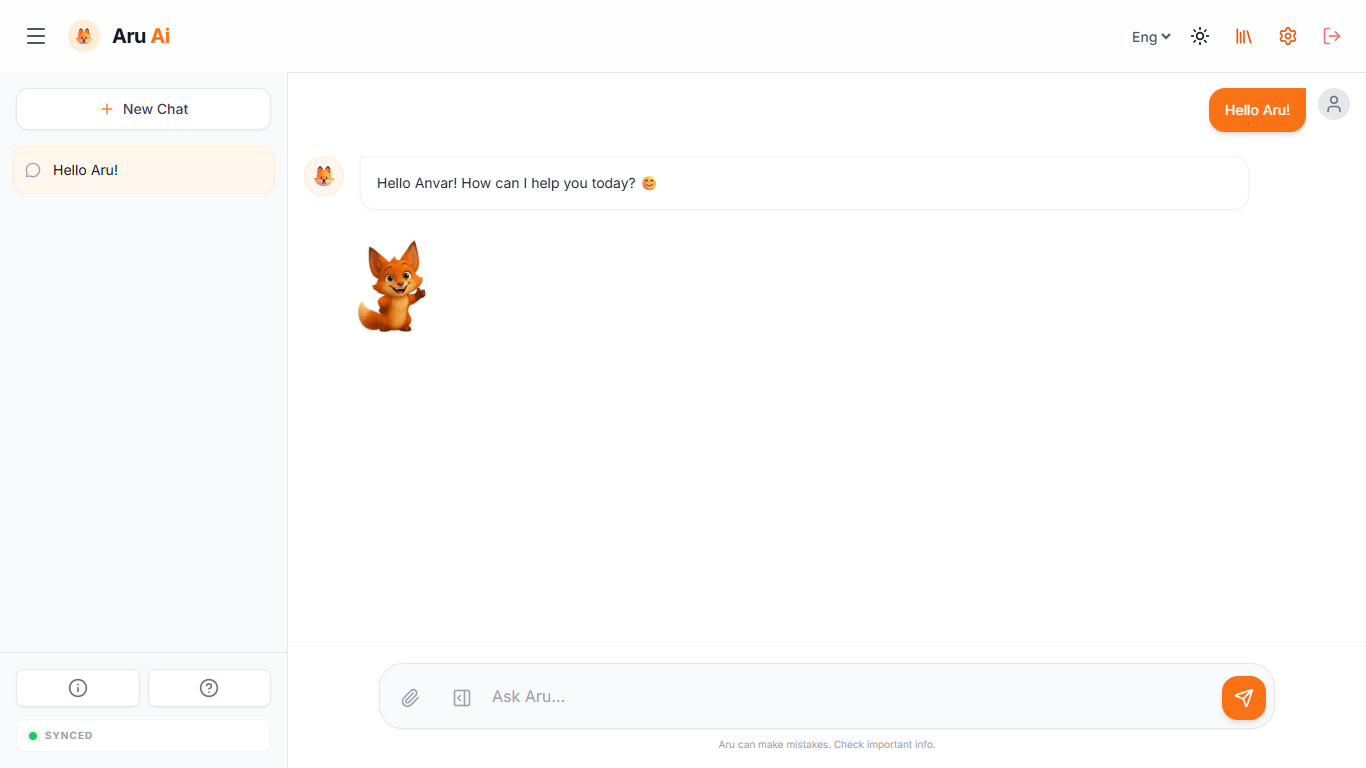
Let's break down the interface:
Sidebar - list of chats, button to create a new chat. At the very bottom are buttons for displaying project information and the user manual. The synchronization icon shows reading and writing to the database. Green - everything is good. Yellow - currently saving. Red or no indicator at all - something is wrong with the database or there is no connection. The sidebar can be collapsed to save space.
Top bar (header) - Sidebar collapse button, logo, and project name. In the right corner: language selection, theme switching between light and dark, opening the artifact library, settings, and exiting the current database.
Main chat area - Your messages on the right, Aru's answers on the left. At the very bottom is the message input area, buttons for attaching a file, and opening the canvas.
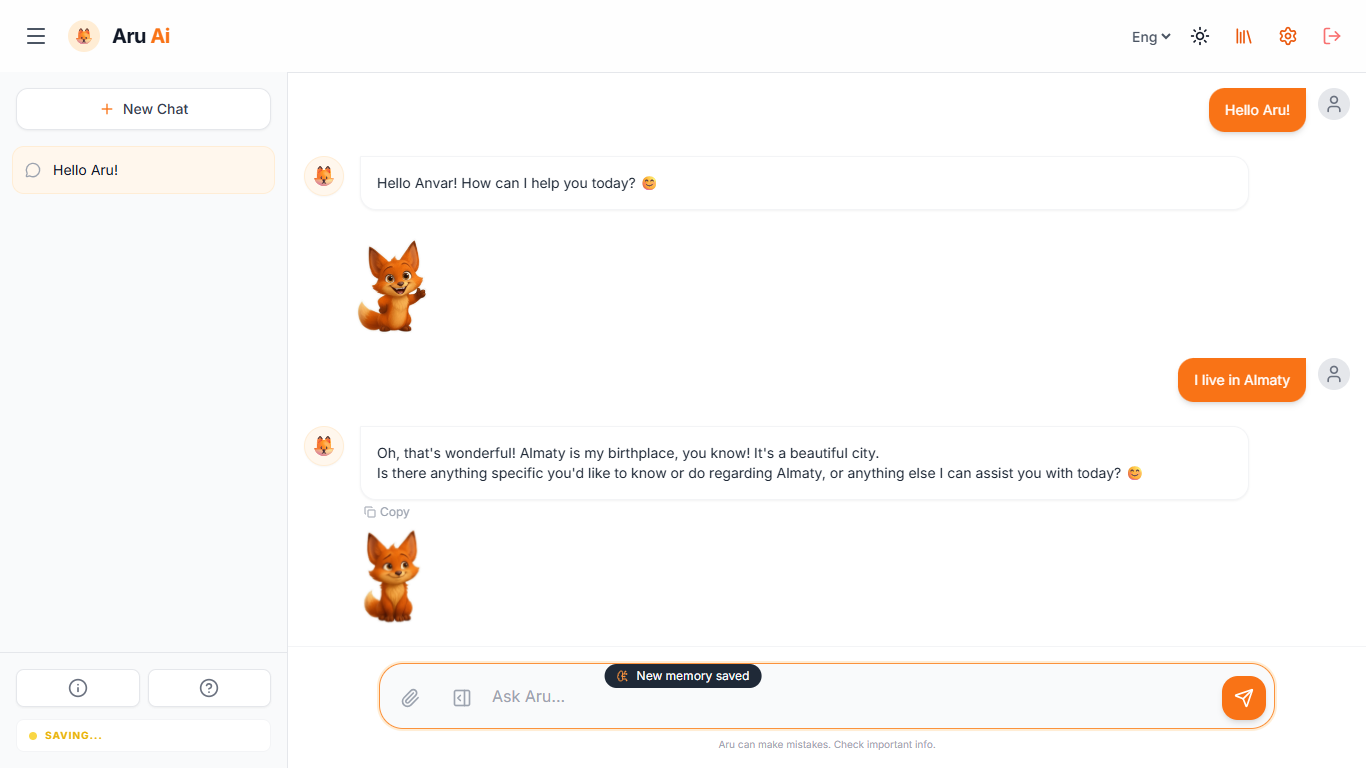
I said that I live in Almaty. This is an important fact. So, for a second, a message appeared that Aru would remember this.
The parameters of what to remember are not precisely defined anywhere. There is no criterion or precise instructions; most often Aru remembers everything necessary. If a fact is duplicated in the future, she will not overwrite it or create a copy in memory. If Aru suddenly didn't remember what you need, just ask her to remember, and she definitely will.
Let's go to settings:
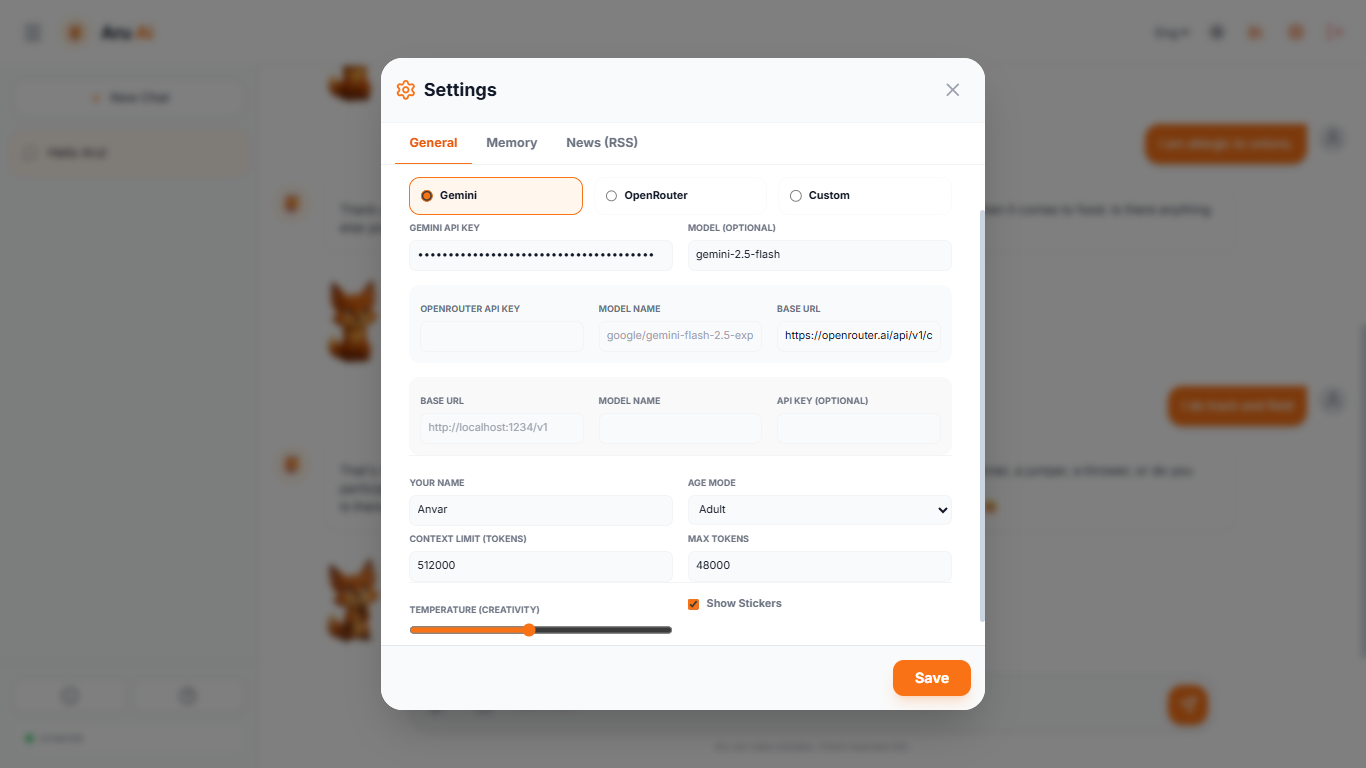
Here you can switch the provider for the language model, change the context window size, or the expected token spend in the response.
Important! It is better to find out the context window size and output tokens for the model you are using. This affects the quality, complexity, and volume of the answer. The context window size affects how much information will be taken into account within a single chat.
Changing the temperature is something like the creativity level.
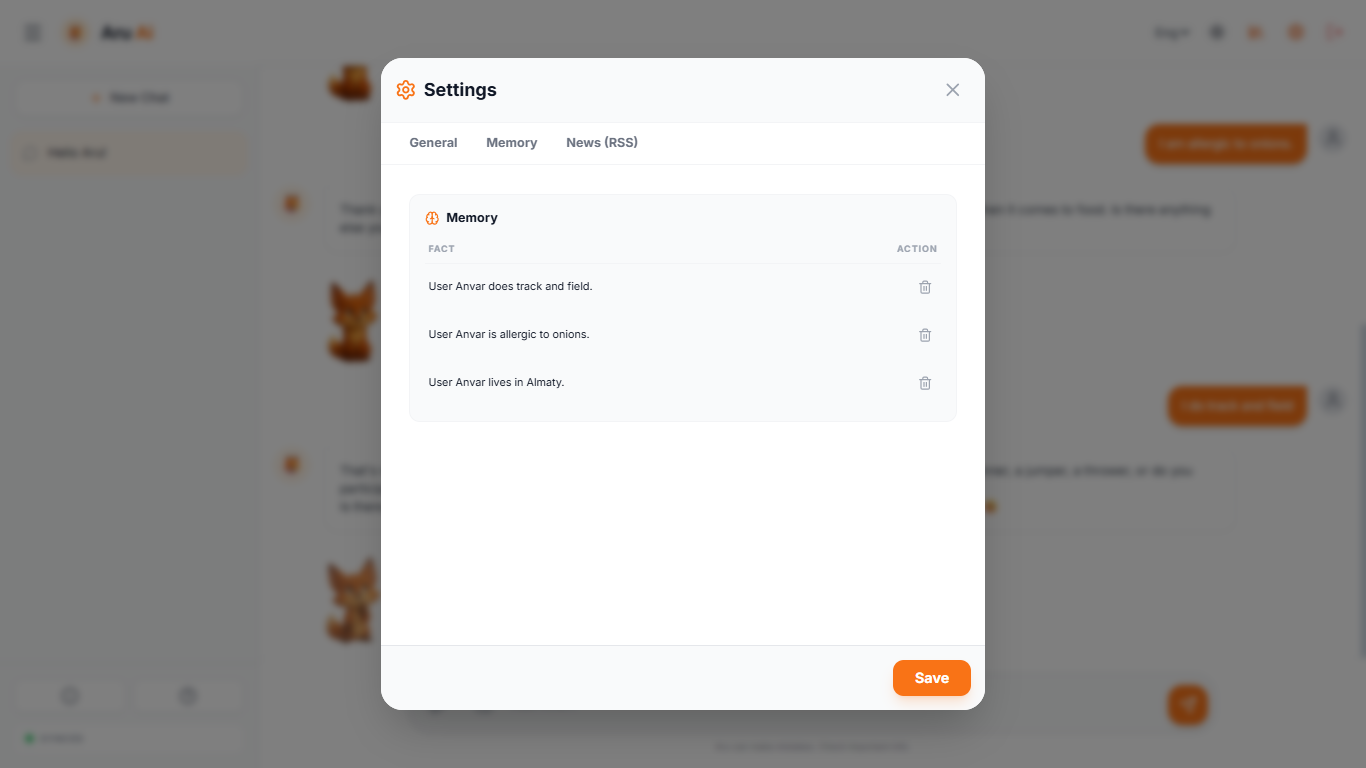
I chatted with Aru a bit and told her a few facts about myself. As you can see, she remembered important moments like my name, allergies, and my hobby - track and field. Any fact can be deleted, but as long as they exist, they will work beneficially.
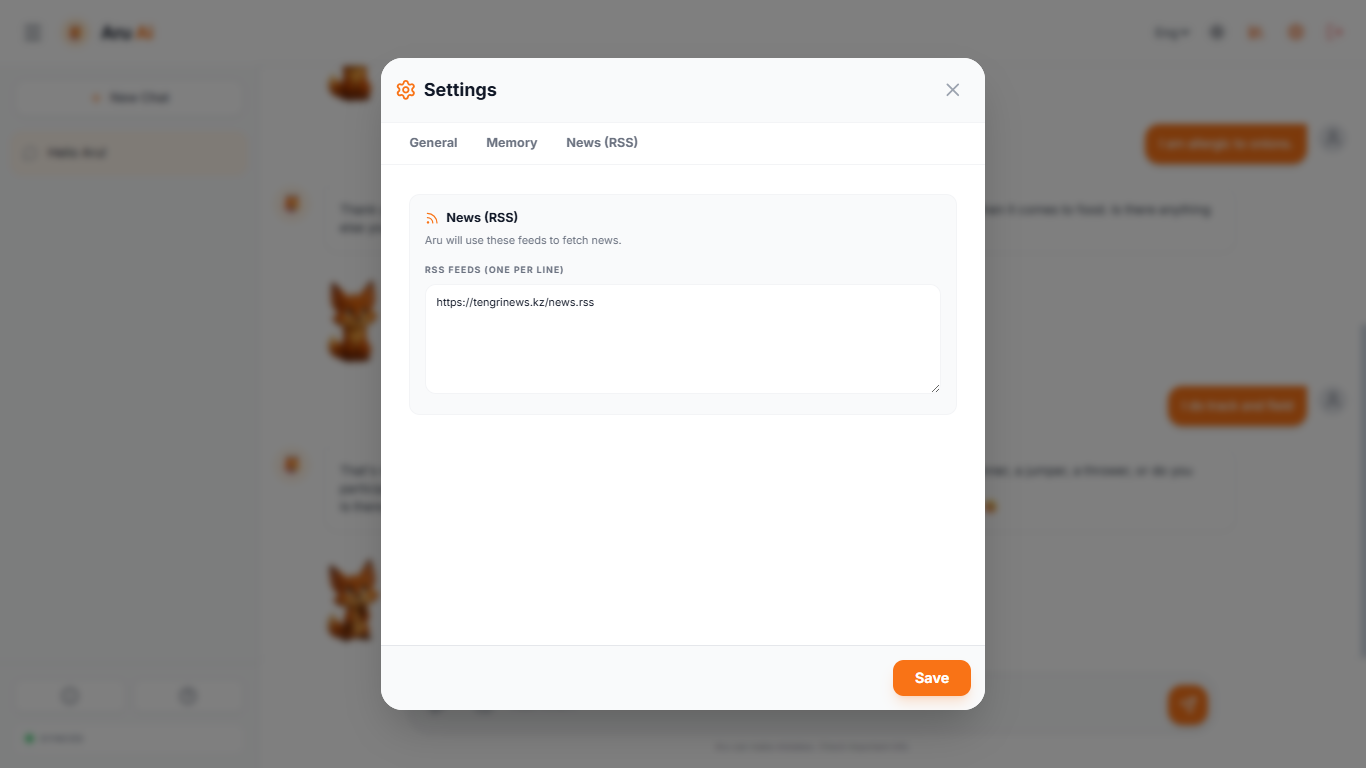
The third tab is needed for news feeds. While Aru doesn't have the function to take information directly from the Internet yet, you can discuss the news. There can be many news feeds; using hashtags, you can mark which feeds are intended for what.
Tools and Artifacts:
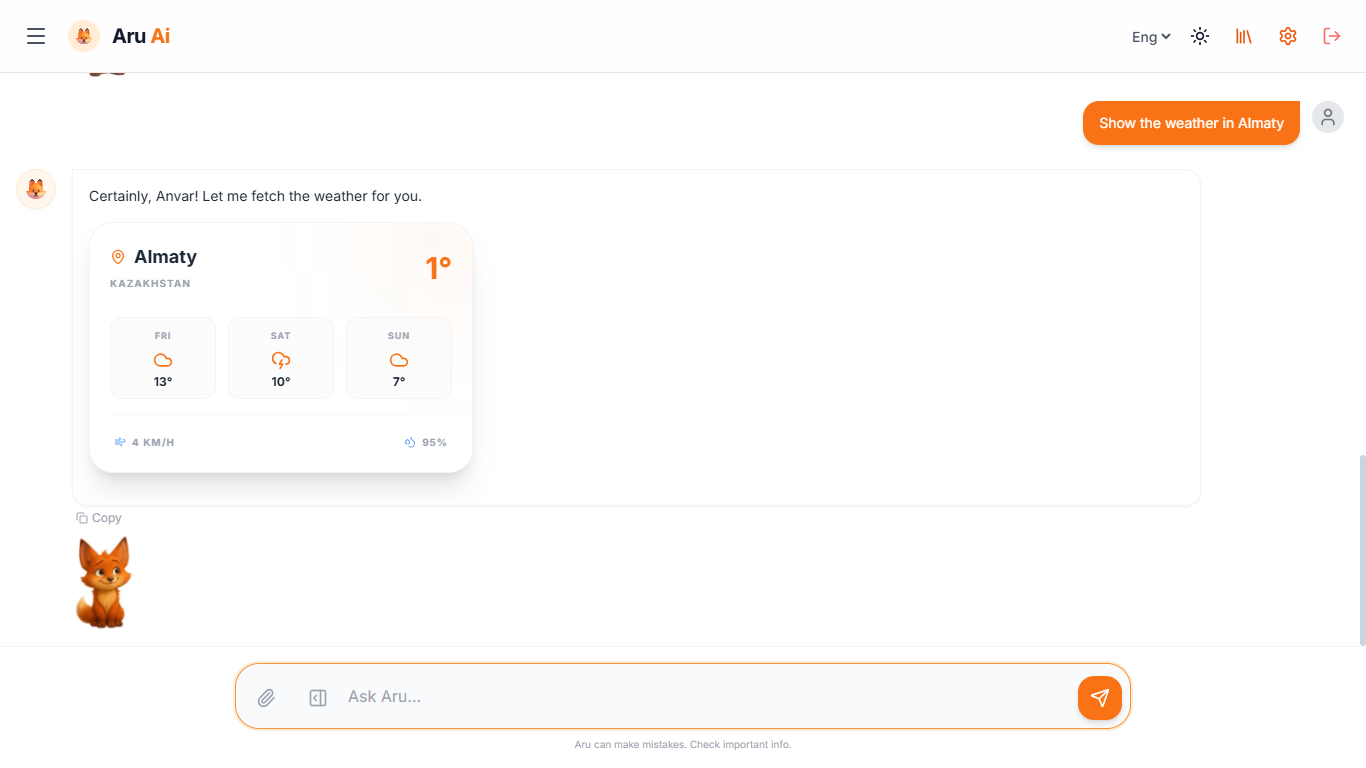
Aru can show the weather. No need to connect an API or do complex configuration; Open-Meteo requests are used. Weather in cities where Fahrenheit is used will be displayed in it (sometimes depends on the selected model), but you can also ask for Celsius. The weather card is part of the context, so you can discuss the current weather or the forecast for the next few days.
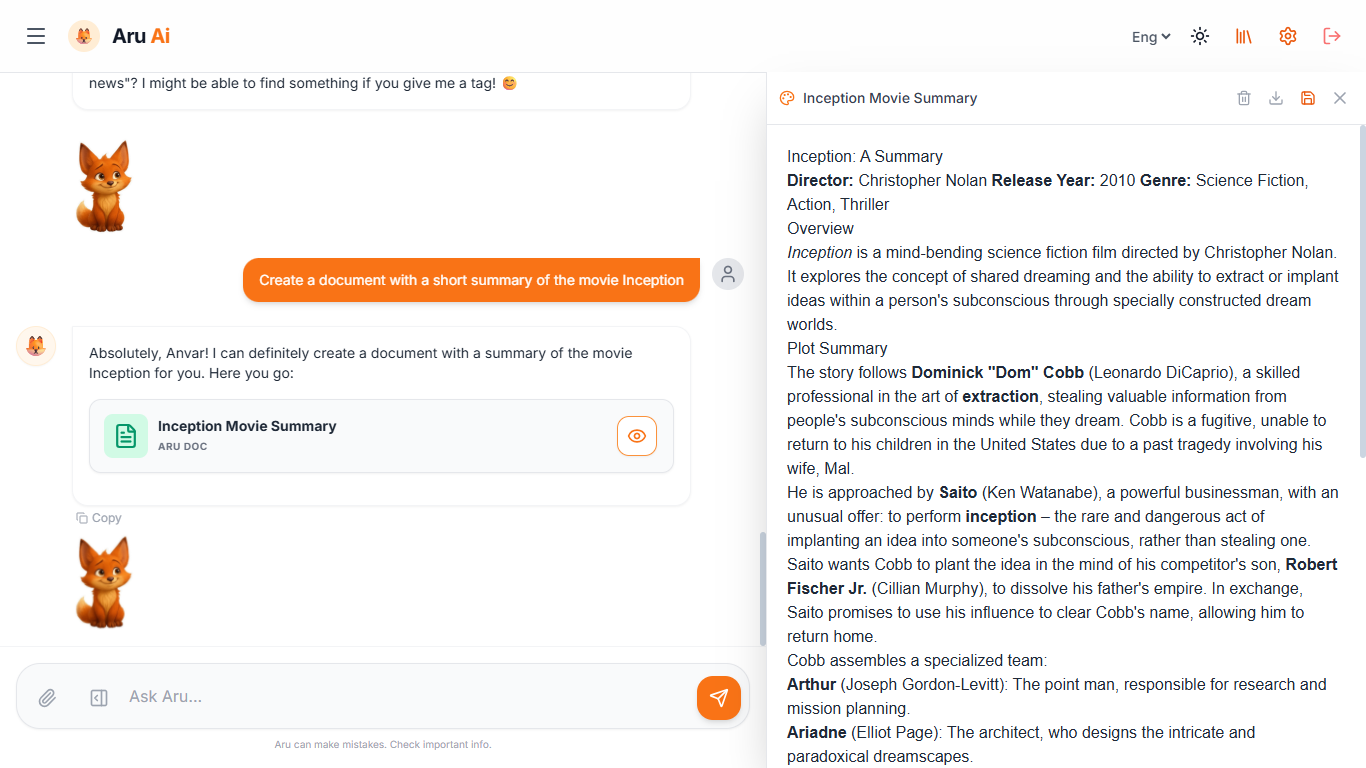
If you ask Aru to create a document, she will open the canvas and write the content there.
The content of the canvas is always part of the context. You can ask to make changes, correct content, or rewrite code. Any artifact can be saved to the library.
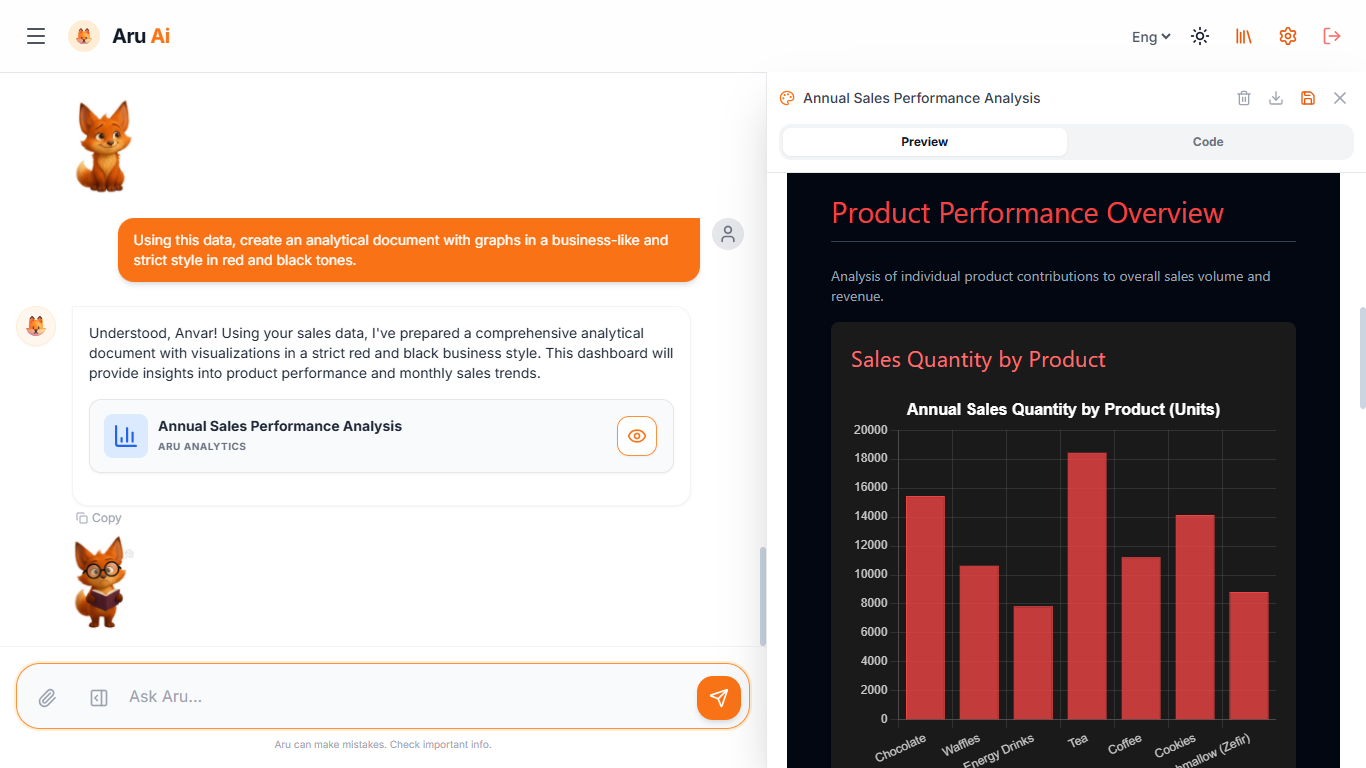
Of course, Aru can also operate with attached files; the file is displayed only at the moment the message is sent.
For analytical artifacts, chart.js is used; as seen, a new tab has appeared for viewing the code.
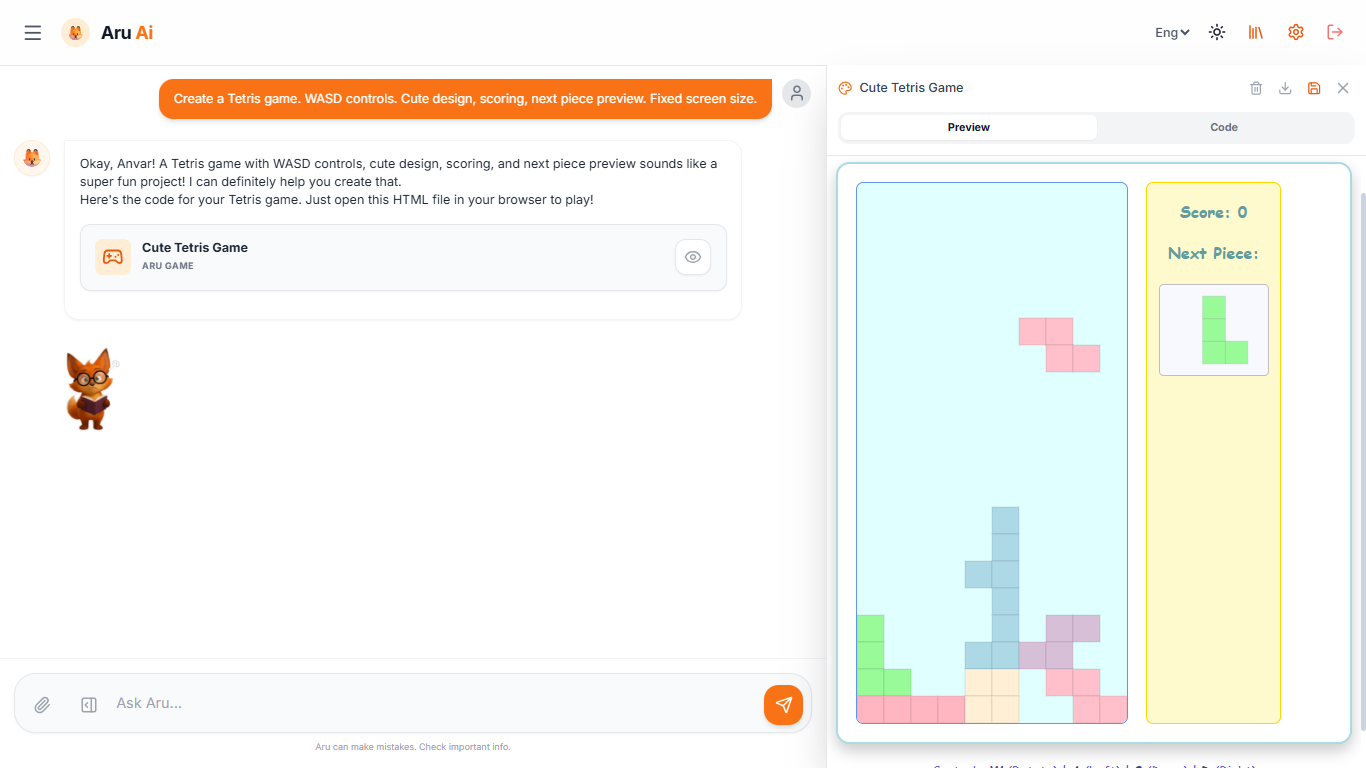
You can create small games; in the future, they will become more complex, but for now, Aru knows how to make simple entertainment.
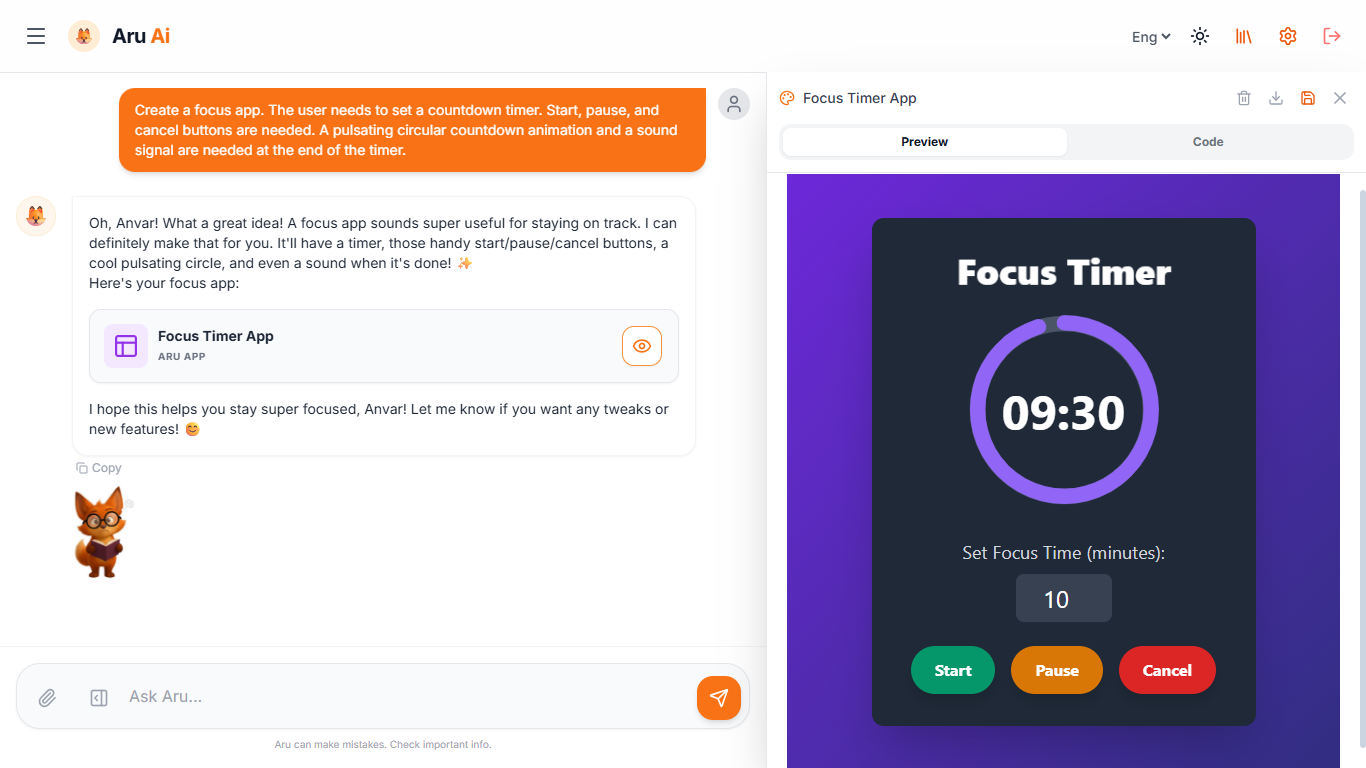
Creating mini-applications and widgets can also be useful. Since any application can be saved to the library, you can create many useful tools for yourself and ask Aru to run them when required.
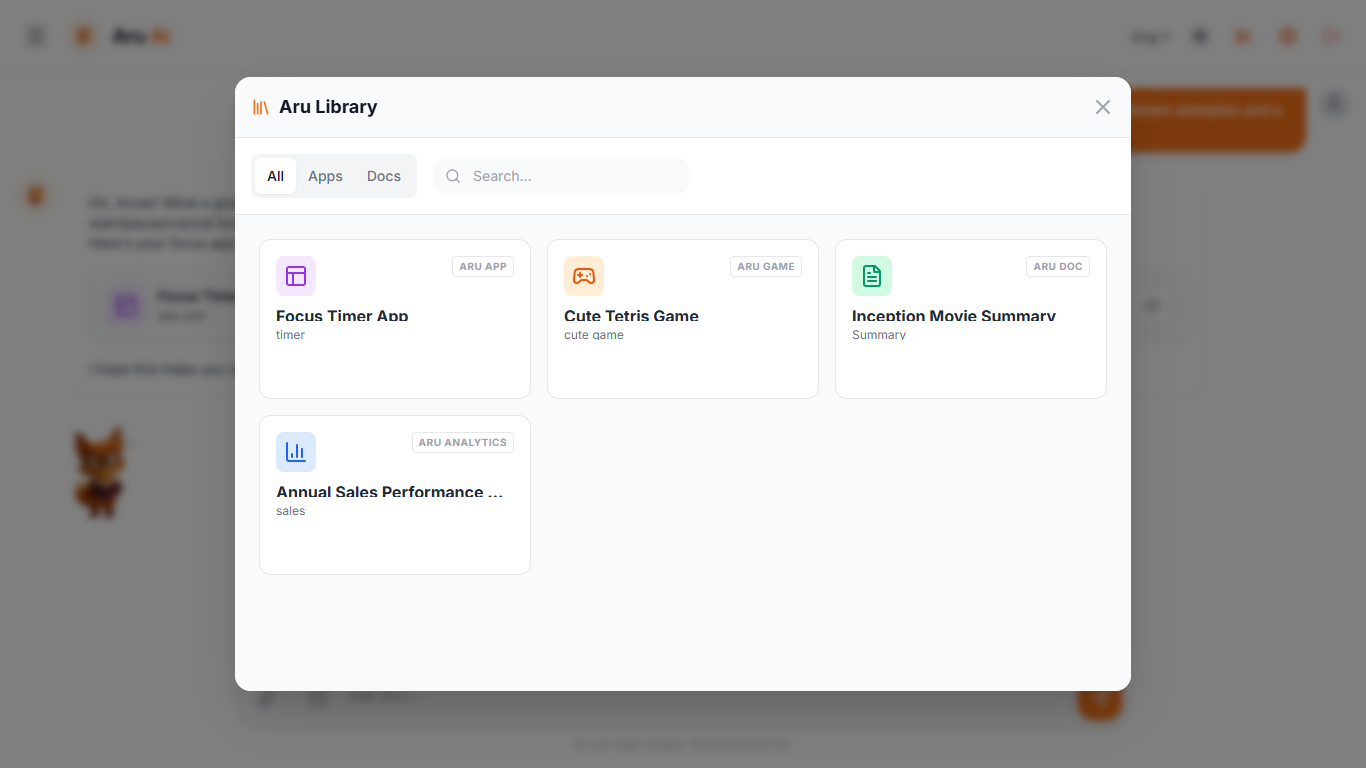
This is what the library of saved documents and applications looks like.
All saved artifacts are divided into two large groups: Apps - games and widgets, and Docs - text and analytical documents. All four types of artifacts have their own icon.
In the library, you can view saved artifacts, delete them, or launch them in any chat.
Even if you created a game, application, or document a very long time ago and launch it in a completely new chat, Aru will still understand and analyze the content on the canvas.
Different models perceive work on the canvas differently, but it always works as well as the model works in general.
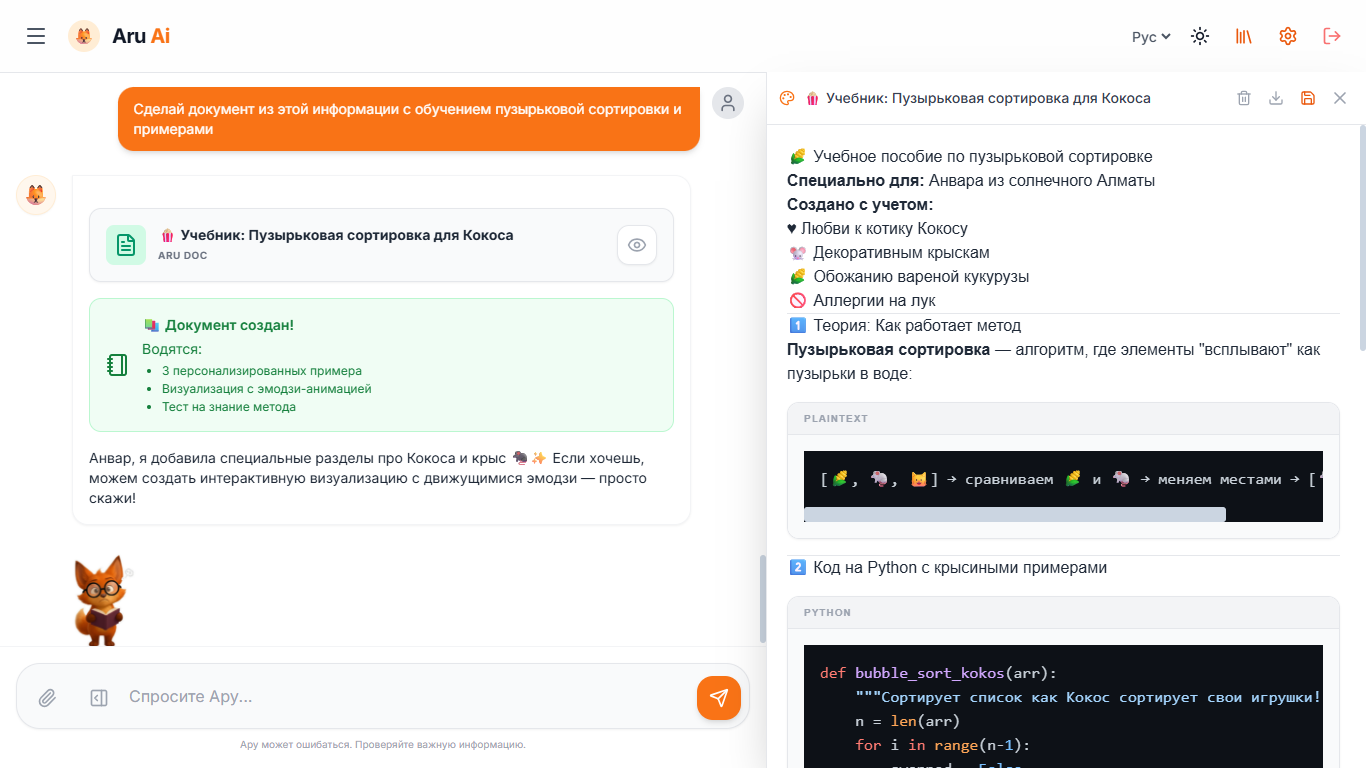
This screenshot is in Russian; I published it on my Telegram channel. During the work, DeepSeek R1 was connected via OpenRouter. The conversation was about bubble sort methods in Python. After that, I asked to create a document based on our dialogue. Even if you don't know Russian, pay attention to how detailed the report on the card and the document itself turned out.
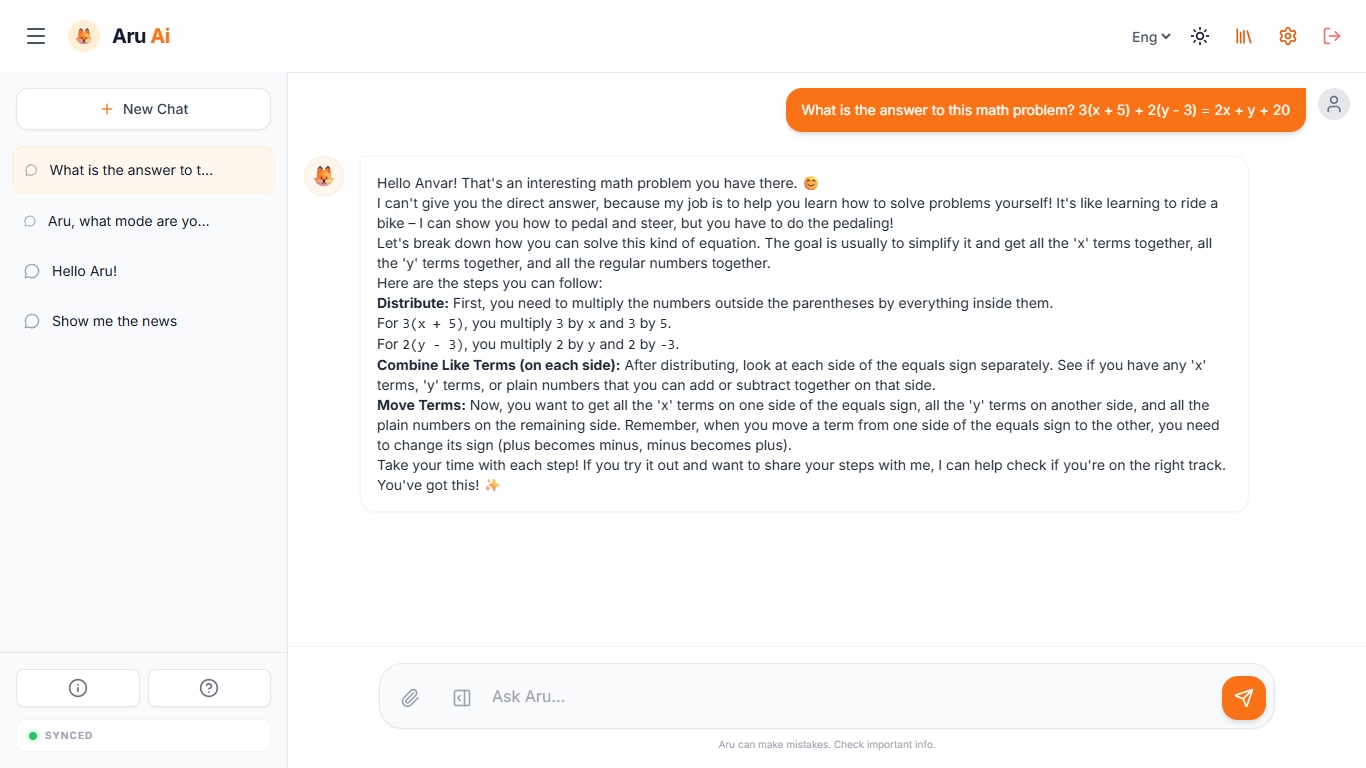
The image above is an example of child mode. Aru does not give the correct answer but teaches the child rules and algorithms.
Some models confirm the correct solution; some openly say that they will not say whether the solution is correct or not.
Finale and a bit of additional information
Small useful points:
- Chats can be sorted with the mouse or by dragging on the site and in the application. Any chat can be renamed.
- Themes change between light and dark; I like the light one more, but if your eyes get tired of the bright screen, you can switch.
- Any document, game, or application from the library can be saved as a ready-made html file
- Files that you attach for processing are not saved or sent anywhere; content recognition of the document happens on your device. PDF, xlsx, docx, txt, and any files that can be interpreted as text or code are supported.
- Code does not have to be written on the canvas; you can ask to do this, but when creating code, it will be shown right in the chat with syntax highlighting and framing.
- Aru supports three languages: Kazakh, English, Russian. The set language is always passed to the context. Some models ignore this and answer in the language the query was made in; some, on the contrary, answer only in the selected language. In fact, language understanding depends on the model itself; speaking of support, I mean the full translation of the interface and semantics.
- The project is written in pure JS and has a PWA application for convenience. All calculations happen only on your device.
At the moment, the project can be perceived as a concept or a demo version. What awaits the project in the future can be read in my blog, in the article - Future of Aru Ai and roadmap.
After I complete about half of the roadmap and do a good refactoring, the project will get a page on GitHub
Using Aru will always be free and without restrictions. Link to the project - Aru Ai.